Active Directory Lab — Environment, Policy, Security, and Automation
This post provides a high-level walkthrough of my Active Directory lab environment.
The intent is not to document every step, but to show how the environment is structured, how policies and security controls are applied, and how automation supports day-to-day operations.
The full technical documentation, scripts, and validation steps are maintained on GitHub.
This post focuses on how the environment works as a complete system.
GitHub repository: https://github.com/yairemartinez/active-directory-labs
Environment Overview
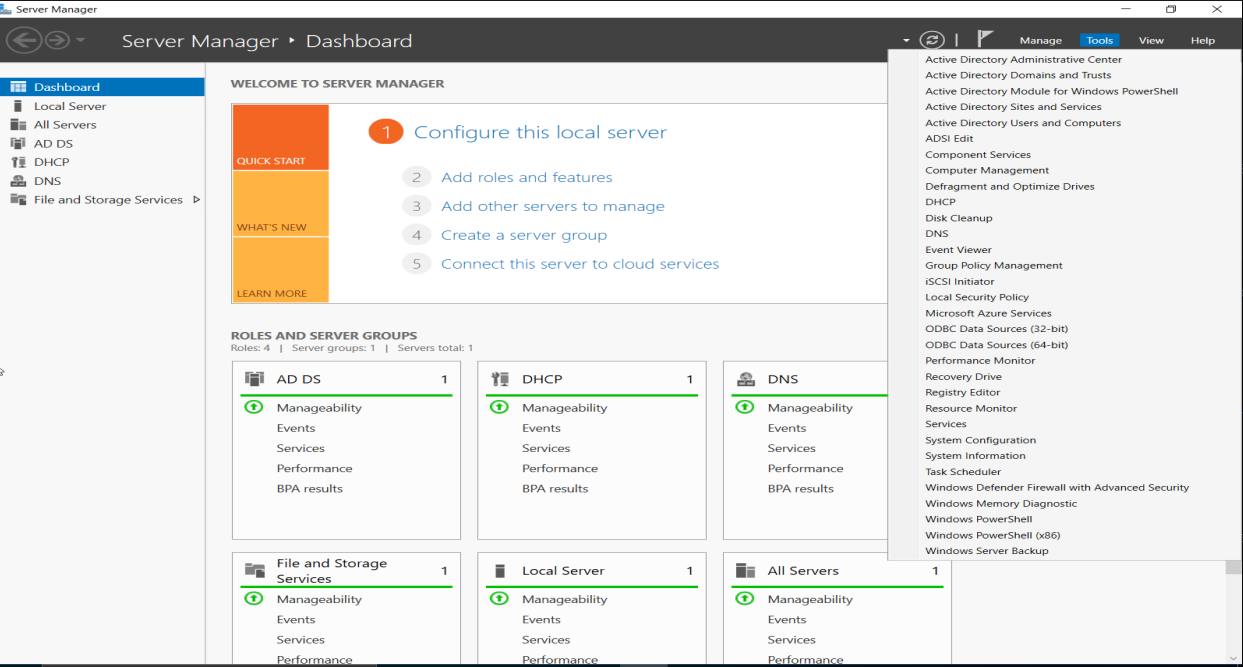
This lab is built around a single Active Directory domain hosted on Windows Server 2022.
It includes multiple Windows 11 Pro clients, centralized identity management, Group Policy enforcement, security hardening, recovery mechanisms, and PowerShell automation.
Active Directory Structure and Identity Management
[ Active Directory Users and Computers showing domain, OUs, users, and computers]
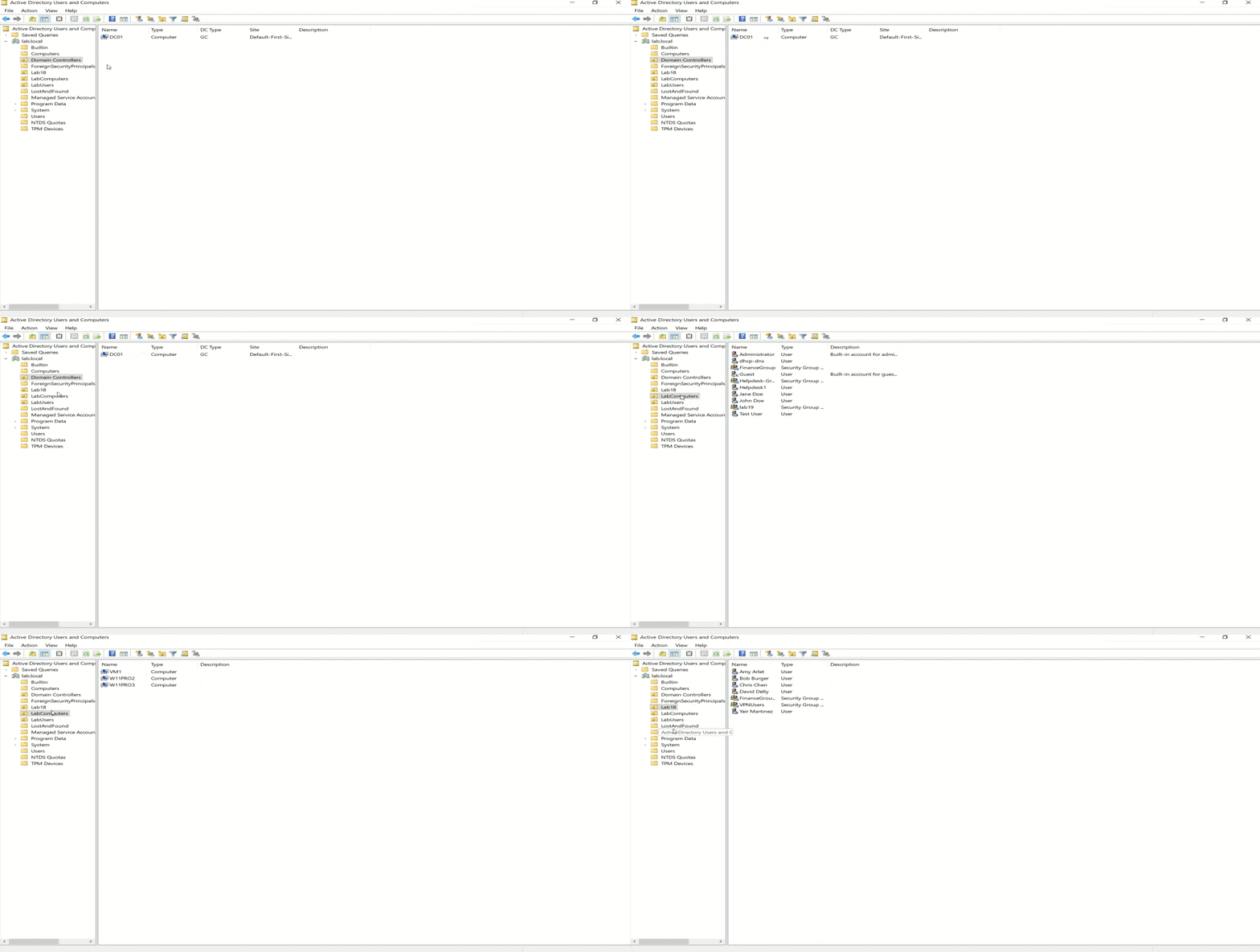
This view shows the Active Directory domain (lab.local) hosted on DC01, including Organizational Units for users and computers.
Users are grouped under OU=LabUsers, computers under OU=LabComputers, and built-in containers are left intact.
This structure allows Group Policy and delegated permissions to be applied cleanly without affecting privileged or system accounts.
Group Policy and Delegation
[Group Policy Management Console showing linked GPOs]
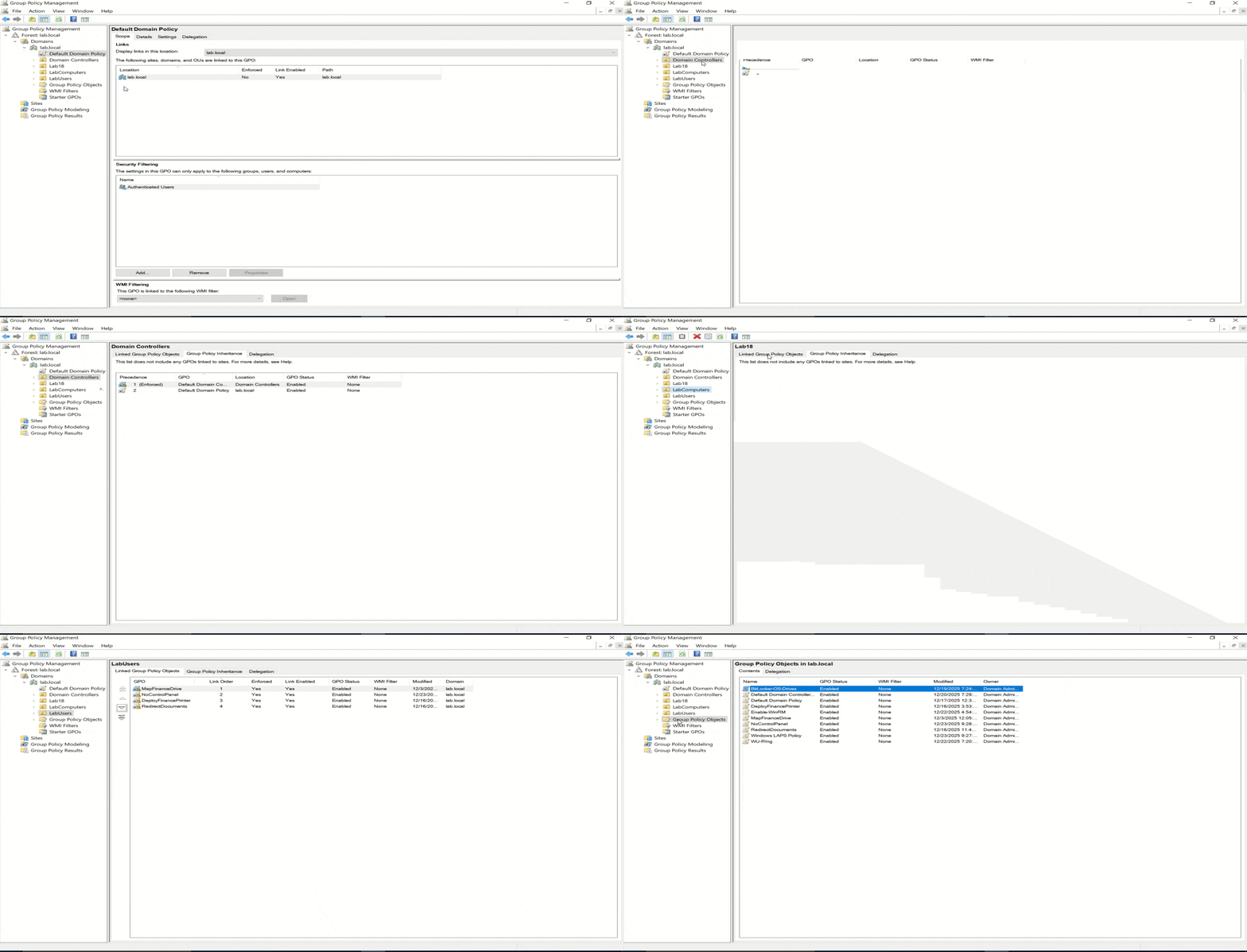
Group Policy Objects are linked at the OU level to enforce user and computer settings across the domain.
Policies shown here include user restrictions, mapped drives, folder redirection, and delegated permissions.
Delegation allows the Helpdesk group to reset passwords and unlock accounts in OU=LabUsers without granting full administrative access, reflecting least-privilege practices used in real environments.
Core Infrastructure Services (DHCP and DNS)
[DHCP management console showing scope and options]
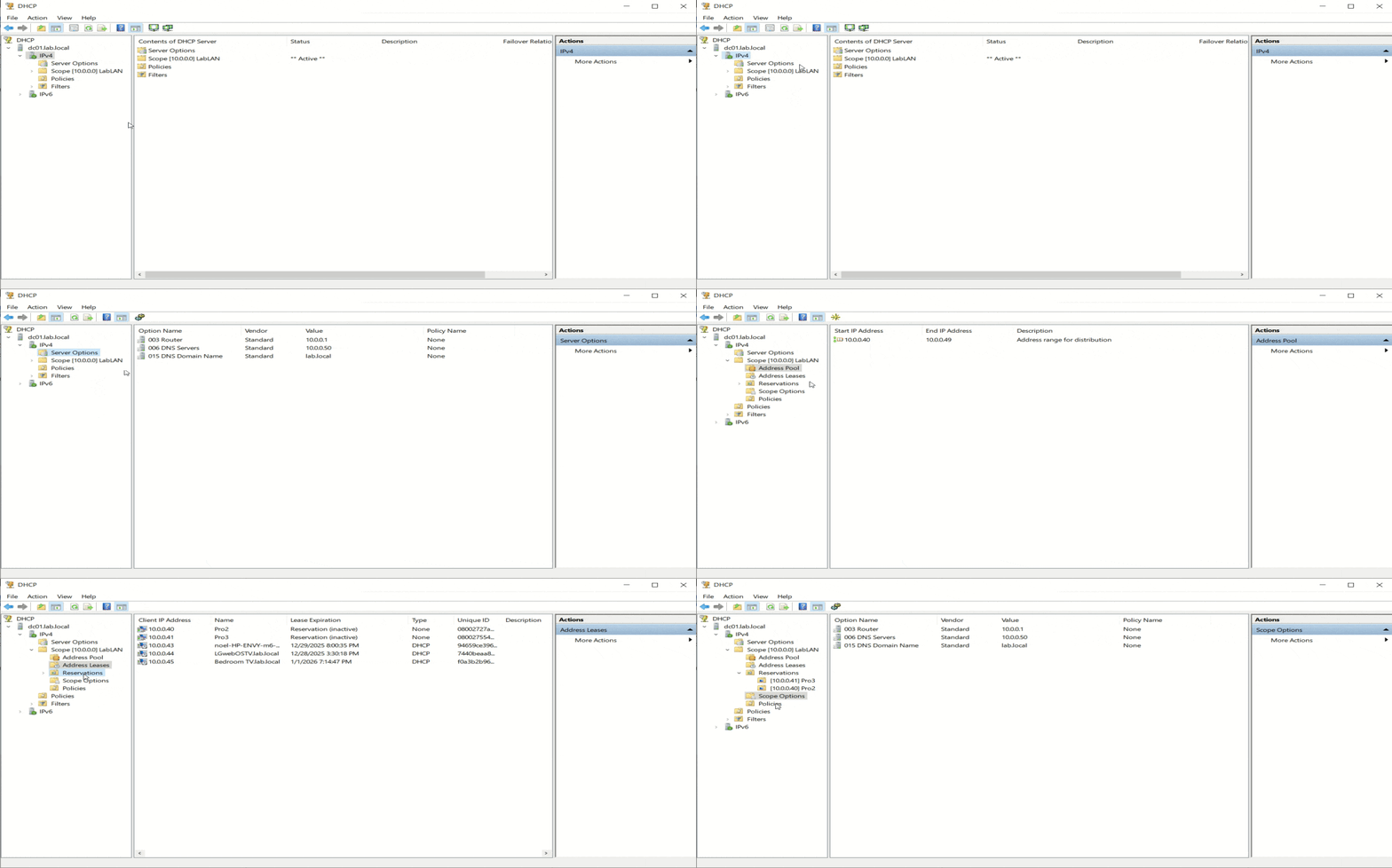
The Domain Controller also provides core infrastructure services for the lab network (10.0.0.0/24).
DHCP is configured with a defined IPv4 scope, DNS options pointing to DC01, and client reservations to ensure consistent addressing.
These services allow domain-joined systems to reliably locate Active Directory, DNS, and Group Policy services.
Recovery and Operational Readiness
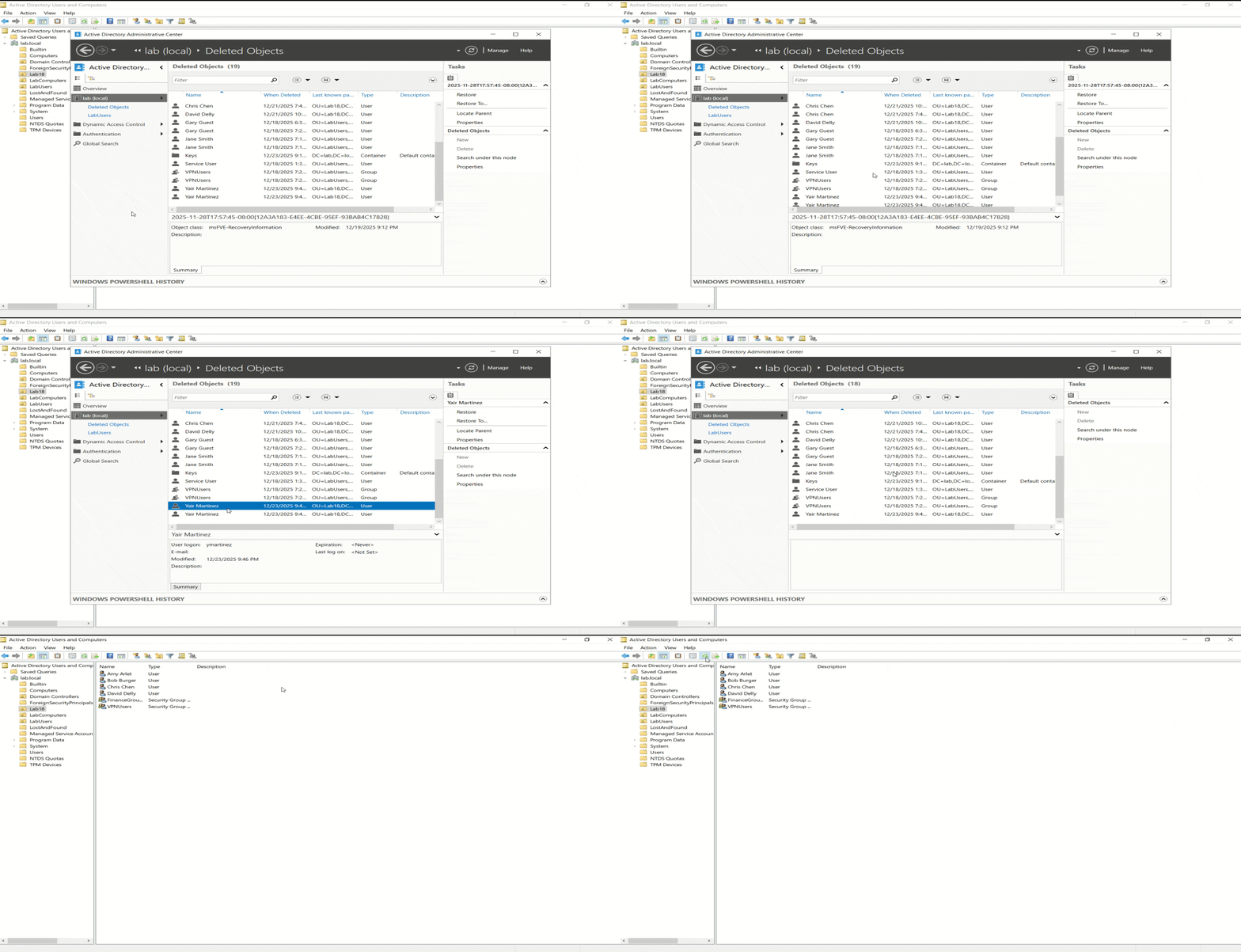
[Active Directory Administrative Center showing Deleted Objects / Recycle Bin]
Subtitle for This Block
Recovery capabilities are built into the environment to support real operational scenarios.
The Active Directory Recycle Bin is enabled, allowing deleted users and groups to be restored with attributes and group memberships intact.
This provides fast object-level recovery without requiring authoritative restores or full system recovery.
Client-Side Policy and Security Enforcement
[Windows 11 client showing applied policies]
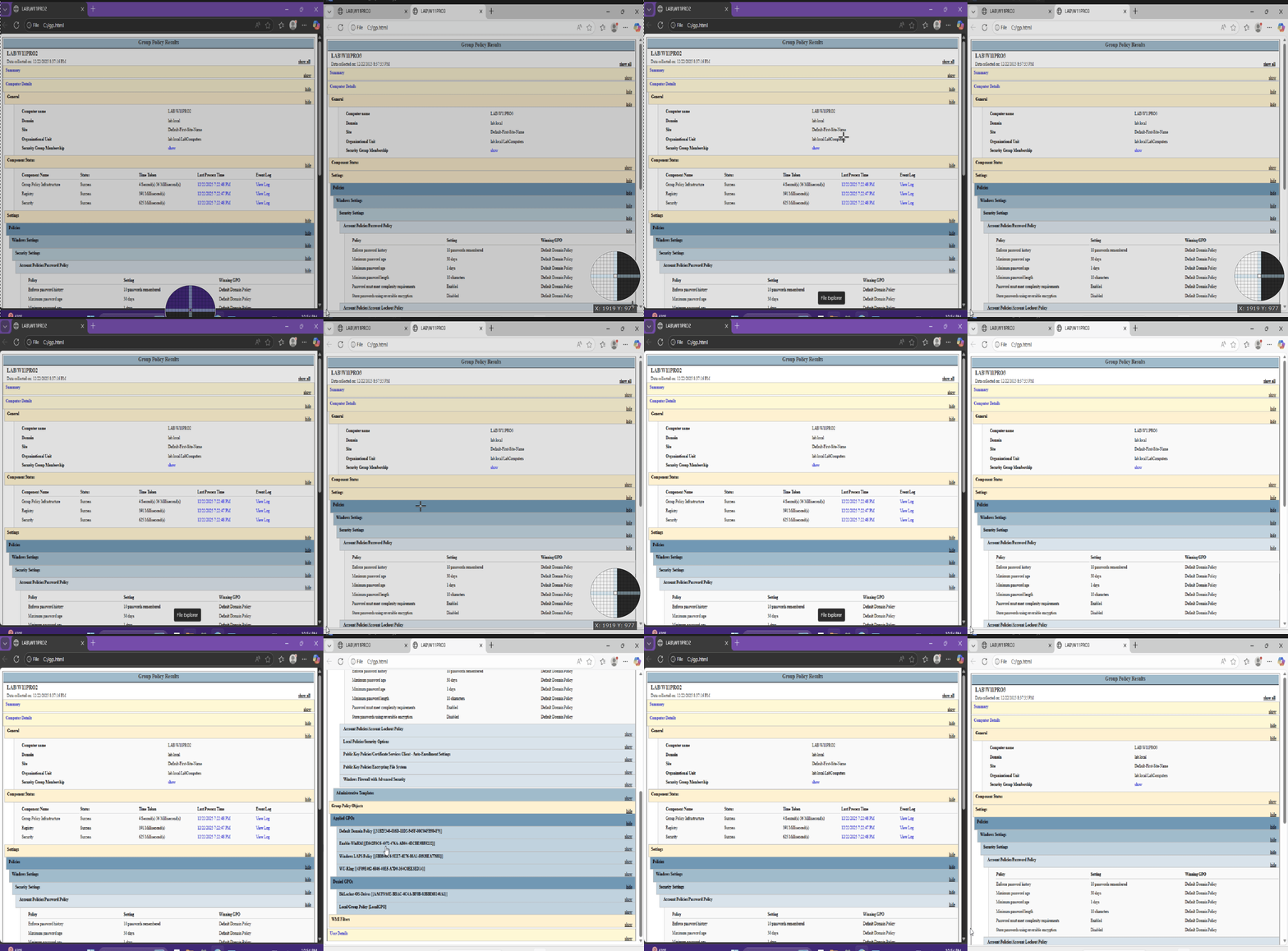
From the Windows 11 client perspective, domain policies and security controls are applied automatically.
This includes user restrictions, mapped resources, folder redirection, and security hardening features such as LAPS and BitLocker.
Policies follow the user across multiple workstations, demonstrating centralized management rather than device-specific configuration.
Automation and Day-to-Day Operations
PowerShell is used to automate common administrative workflows, including bulk user provisioning and help desk account management.
Automation reduces manual effort, enforces consistency, and supports least-privilege operations by running under delegated permissions rather than full administrative access.
Remote management is handled through PowerShell Remoting, allowing systems to be administered without relying on interactive RDP sessions.
Closing Summary
This Active Directory lab demonstrates a complete environment rather than isolated configurations.
It brings together identity management, policy enforcement, infrastructure services, security hardening, recovery planning, and automation into a single, cohesive system.
The GitHub repository contains the full technical documentation and scripts.
This post serves as a visual overview of how the environment is structured and how it operates in practice. Thanks for reading. 🙂