Local AI Foundation — Building a Self-Hosted Multi-GPU AI Homelab
Introduction
This project documents the first major foundation of my local AI homelab. The goal was not just to install a chatbot or download a single model. I wanted to build a self-hosted AI environment that works more like real infrastructure: separated services, documented storage, recoverable backups, and different backends for different use cases.
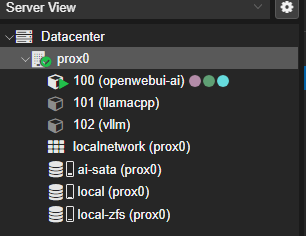
The current system uses Proxmox as the host platform and runs three main Linux containers:
- CT100: OpenWebUI and Ollama for the main user-facing AI interface
- CT101: llama.cpp for a stable OpenAI-compatible GGUF backend
- CT102: vLLM as a proof-of-concept for serving Qwen3.8-27B-FP8 across multiple GPUs
I built this in parts so I could understand the system instead of treating it as a black box. Each container has a specific role, and the storage/backups are designed so the system can be rebuilt later if something fails.
The larger goal is to turn this machine into a private multimodal AI workstation over time. For now, this post focuses on the infrastructure foundation: the host, the containers, the models, the performance notes, the troubleshooting, and the backup strategy.
Project Goals
My main goals for this project were:
- Build a local AI system on my own hardware
- Separate the main AI services into containers
- Use consumer NVIDIA GPUs for local inference experiments
- Test practical backends like Ollama and llama.cpp
- Experiment with vLLM, FP8, and multi-GPU serving
- Keep large model files outside the container root disks
- Create hot/warm backups on local storage
- Plan for cold storage backups on an external drive
- Document the setup well enough that I could rebuild it later
- Turn the build into a portfolio project instead of leaving it as undocumented experimentation
I also wanted the system to support future projects, especially a Hermes-style local agent workflow, cybersecurity/IT support assistants, and eventually local multimodal workflows such as image, speech, transcription, and video processing.
Visual Stack Model
This is the current stack at a high level:
User / Browser / Main PC
        |
        v
+------------------------------+
| CT100: OpenWebUI + Ollama    |
| - Main web interface         |
| - Daily-use AI frontend      |
| - Ollama model backend       |
+--------------+---------------+
               |
               | OpenAI-compatible / backend connections
               v
+------------------------------+       +------------------------------+
| CT101: llama.cpp             |       | CT102: vLLM                  |
| - Qwen3.8 GGUF backend       |       | - Qwen3.8 FP8 proof of       |
| - Stable API backend         |       |   concept                    |
| - Agent-backend candidate    |       | - Short-context testing      |
+------------------------------+       +------------------------------+

Host Platform:
+--------------------------------------------------------------+
| prox0 - Proxmox VE                                           |
| - Ryzen 9 5900X                                              |
| - RTX 5060 Ti 16GB + RTX 3060 12GB + RTX 3060 12GB           |
| - NVMe ZFS mirror for Proxmox and CT root disks              |
| - SATA AI storage for models, cache, docs, and warm backups  |
+--------------------------------------------------------------+

Storage and Recovery:
+---------------------+     +----------------------------+
| NVMe ZFS mirror     |     | /mnt/ai-sata SATA storage  |
| - Proxmox OS        |     | - Ollama models            |
| - CT root disks     |     | - GGUF models              |
|                     |     | - vLLM HF cache            |
|                     |     | - warm CT backups          |
|                     |     | - documentation            |
+---------------------+     +----------------------------+
                                      |
                                      v
                           External HDD / Cold Storage
                           - disaster recovery copy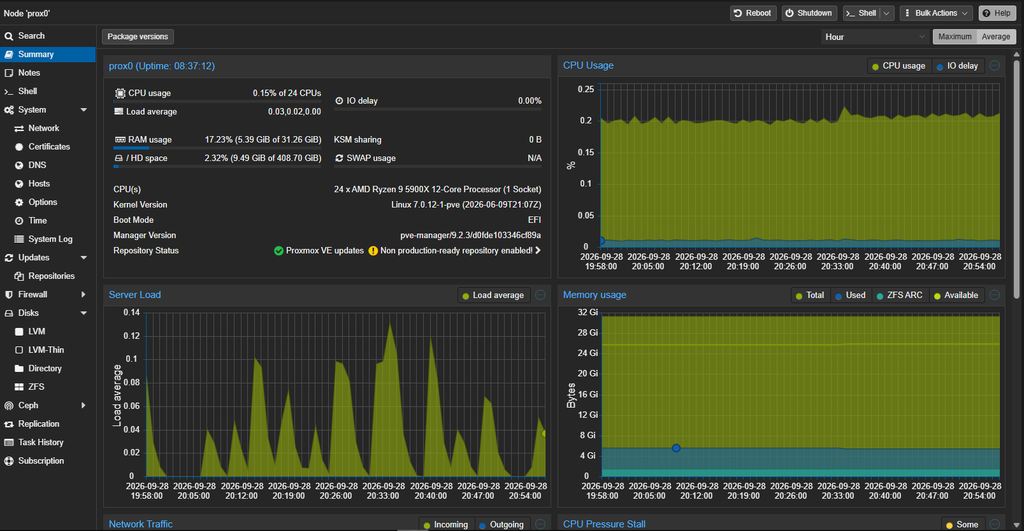
Part 1 — Host Hardware and Proxmox Foundation
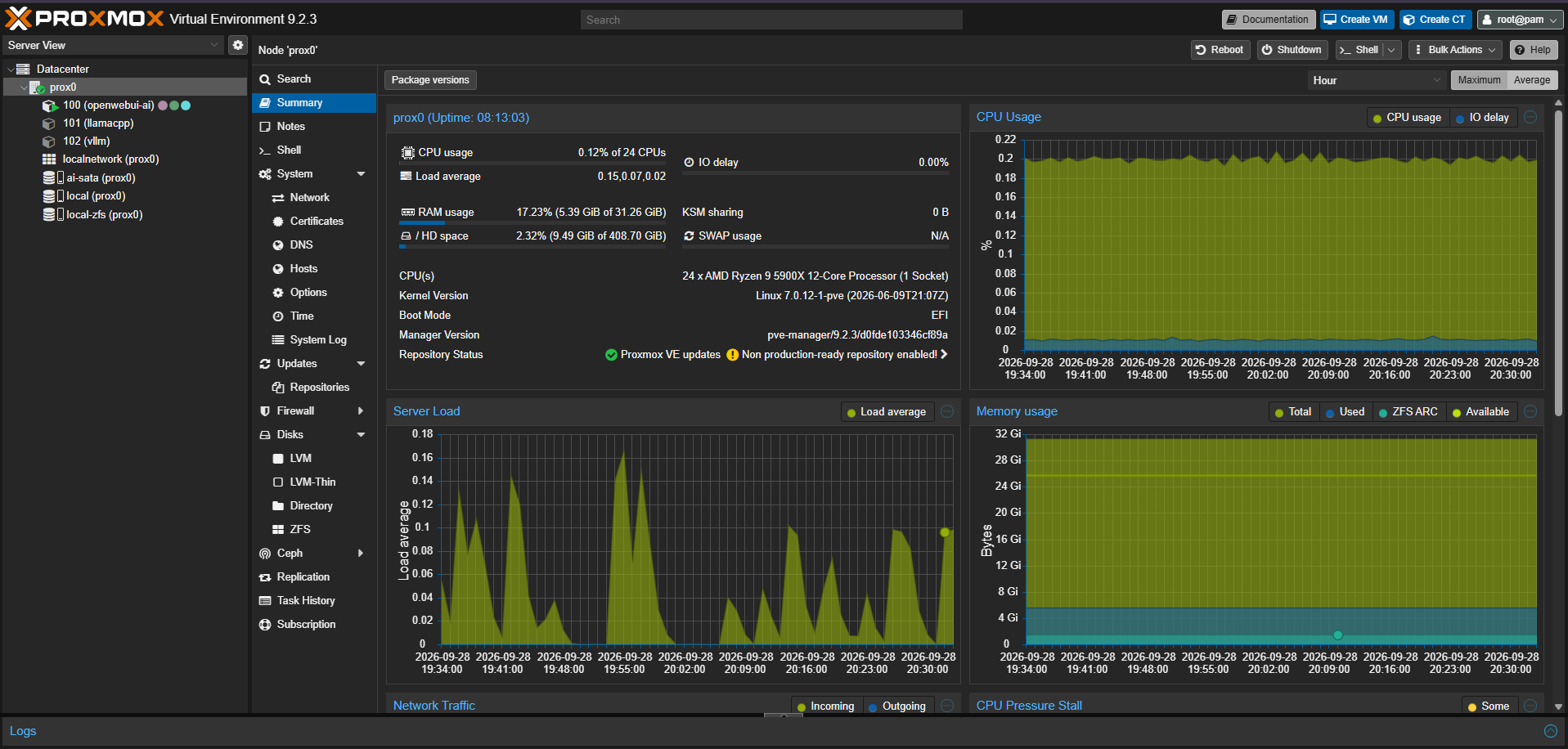
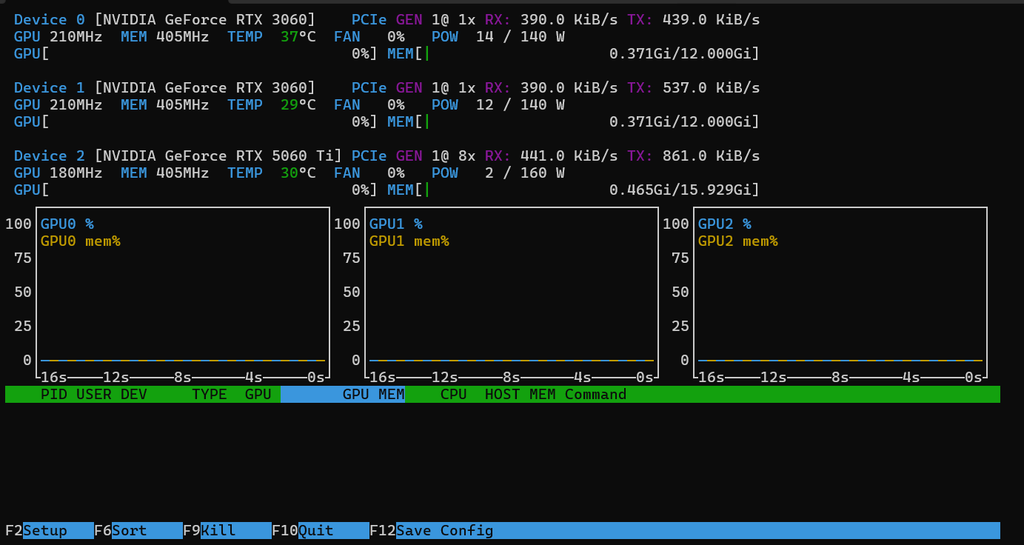
The host is named prox0 and runs Proxmox VE. It is built on a Ryzen 9 5900X with about 32 GB of RAM and three NVIDIA GPUs:
- RTX 5060 Ti 16 GB
- RTX 3060 12 GB
- RTX 3060 12 GB
That gives the rig about 40 GB of installed VRAM across the system. One important point I learned is that total VRAM is not the same thing as one large shared memory pool. Each backend handles multi-GPU workloads differently, and some models split better than others.
The current philosophy is to run one heavy AI workload at a time. This is not a production cluster meant to keep every model loaded at once. It is a local AI workstation where I can choose the best backend for the job.
Part 2 — Storage Design
I separated the storage into two main layers:
NVMe ZFS Mirror
The NVMe mirror is used for:
- Proxmox OS
- Container root disks
- Core system state
This gives the host and container root filesystems better protection than a single boot drive.
SATA AI Storage
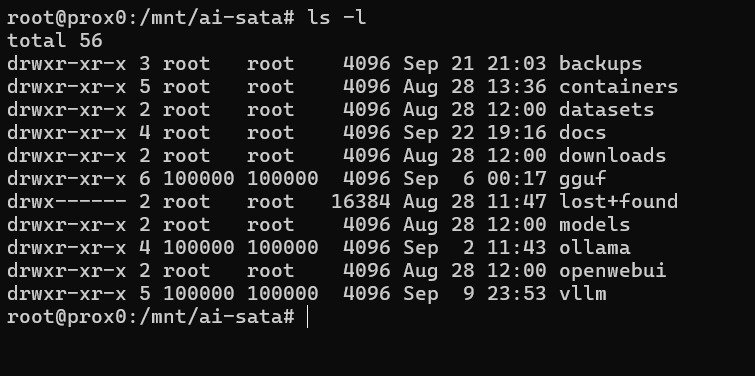
Large AI files live on a SATA SSD mounted at:
/mnt/ai-sataThis storage holds:
- Ollama model store
- GGUF models
- vLLM Hugging Face cache
- vLLM cache
- Proxmox warm backups
- Documentation files
Important folders:
/mnt/ai-sata/ollama
/mnt/ai-sata/gguf
/mnt/ai-sata/vllm
/mnt/ai-sata/containers/dump
/mnt/ai-sata/docs
This design keeps large model files out of the CT root disks. It also makes the backup plan more obvious: the container backup protects the container configuration and service environment, but the model folders need to be copied separately.
Part 3 — CT100: OpenWebUI and Ollama
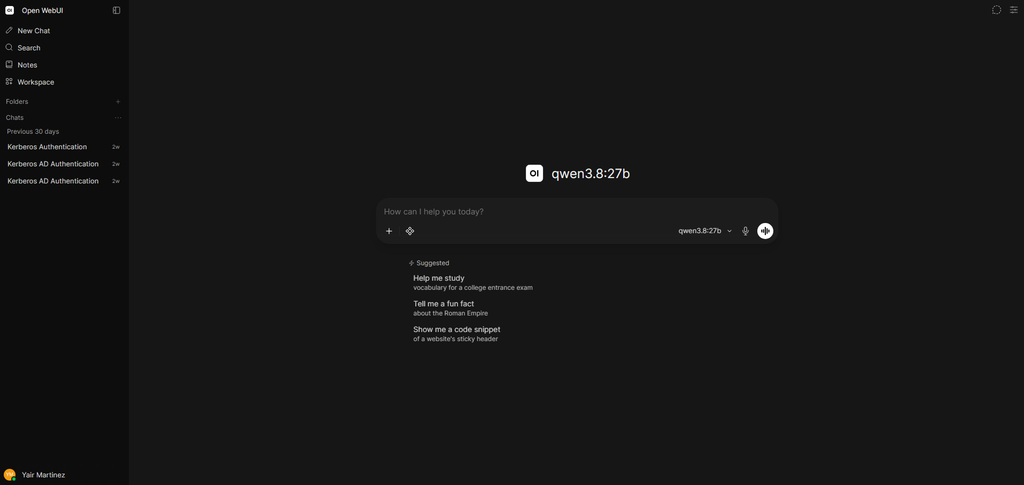
CT100 is the main user-facing AI container. It runs OpenWebUI and Ollama.
OpenWebUI gives me the browser-based interface, while Ollama handles local model serving. This is the easiest part of the stack to use every day.
Main role:
- Main local AI interface
- Ollama backend
- Daily-use candidate
- Model storage through a SATA bind mount
The Ollama model store is mounted from the host into the container:
Host path:      /mnt/ai-sata/ollama
Container path: /mnt/ollama-models
Installed Ollama Models
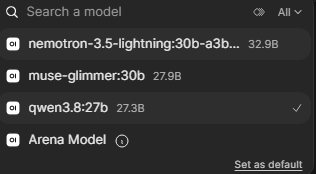
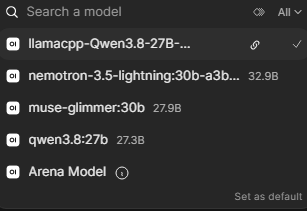
At the time of documentation, the installed Ollama models were:
| Model | Size | Intended Role |
|---|---|---|
qwen3.8:27b | 17 GB | Main general-purpose local model for chat, reasoning, coding, research, and documentation help |
muse-glimmer:30b | 18 GB | Creative/image-related model candidate and future visual workflow testing |
nemotron-3.5-lightning:30b-a3b-q4_K_M | 25 GB | Experimental alternate model, not necessarily a long-term keeper |
The main daily-driver model direction is Qwen3.8 27B. My goal is not to collect many similar models. I want each model to earn a role.
Observed Performance
In testing, Ollama with Qwen3.8 27B was the strongest daily-use result. A benchmark run showed roughly:
Ollama Qwen3.8 27B
Prompt eval: ~1,862 tokens/sec
Generation:  ~18.5 tokens/sec
That made CT100 the easiest and most practical day-to-day interface.
Part 4 — CT101: llama.cpp Backend
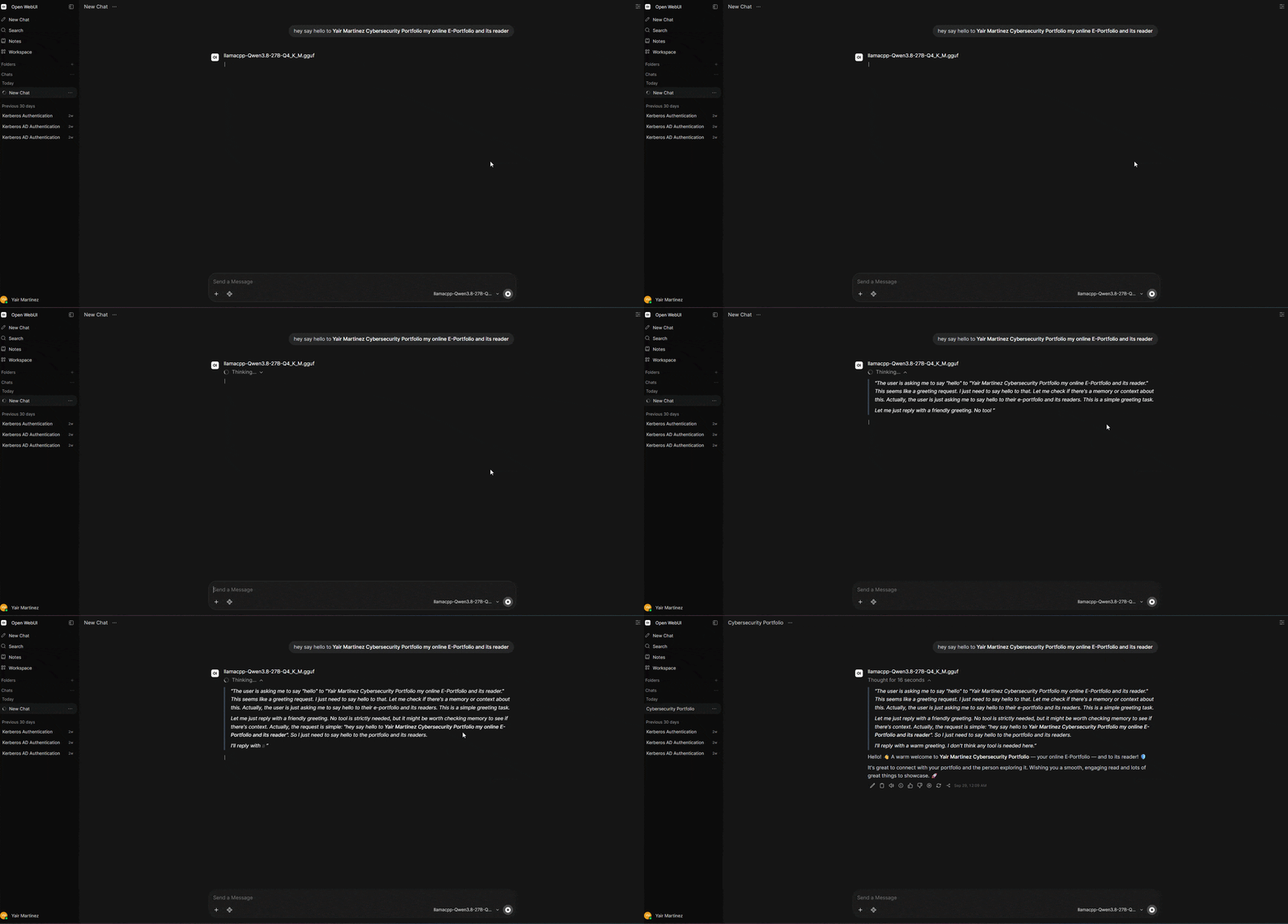
CT101 runs llama.cpp and serves a Qwen3.8 GGUF model through llama-server.
This container matters because llama.cpp gives me a stable OpenAI-compatible API endpoint. That makes it useful for OpenWebUI, future tools, and possible agent frameworks.
Main role:
- Stable OpenAI-compatible backend
- GGUF model serving
- Alternate daily-driver backend
- Strong candidate for future Hermes/agent integration
Main model:
/models/qwen3.8-27b/Qwen3.8-27B-Q4_K_M.ggufThe model is stored on the SATA-backed /models bind mount:
Host path:      /mnt/ai-sata/gguf
Container path: /models
llama.cpp Performance Notes
The llama.cpp backend performed well enough to be considered a real daily-driver candidate. In testing, the Qwen3.8 GGUF backend produced results around:
llama.cpp Qwen3.8 GGUF
Prompt eval: ~717 tokens/sec
Generation:  ~15.6 tokens/sec
Other runs showed generation in the mid-to-high 16 tokens/sec range depending on the prompt and run conditions. The bigger takeaway is that CT101 was stable and practical, especially compared with the vLLM proof-of-concept.
Notable llama.cpp Troubleshooting
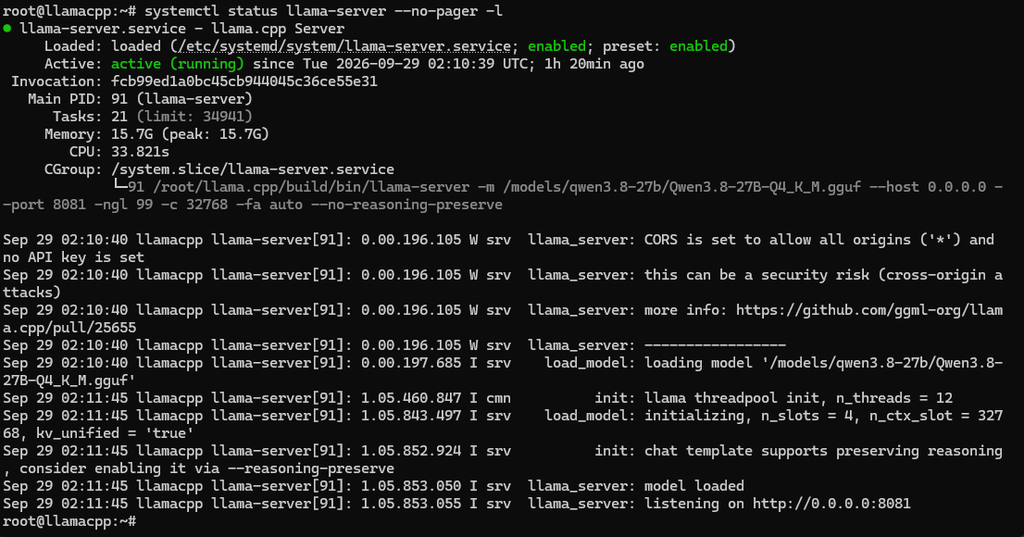
One issue I documented was a 503 Loading model API response immediately after service startup. That was not a failure. It meant the llama.cpp server had started, but the model was still loading. After startup finished, the API could be tested normally through /v1/models and /v1/chat/completions.
This was a useful reminder that service status and model readiness are not always the same thing. A systemd service can be running while the model is still warming up.
Part 5 — CT102: vLLM Proof of Concept
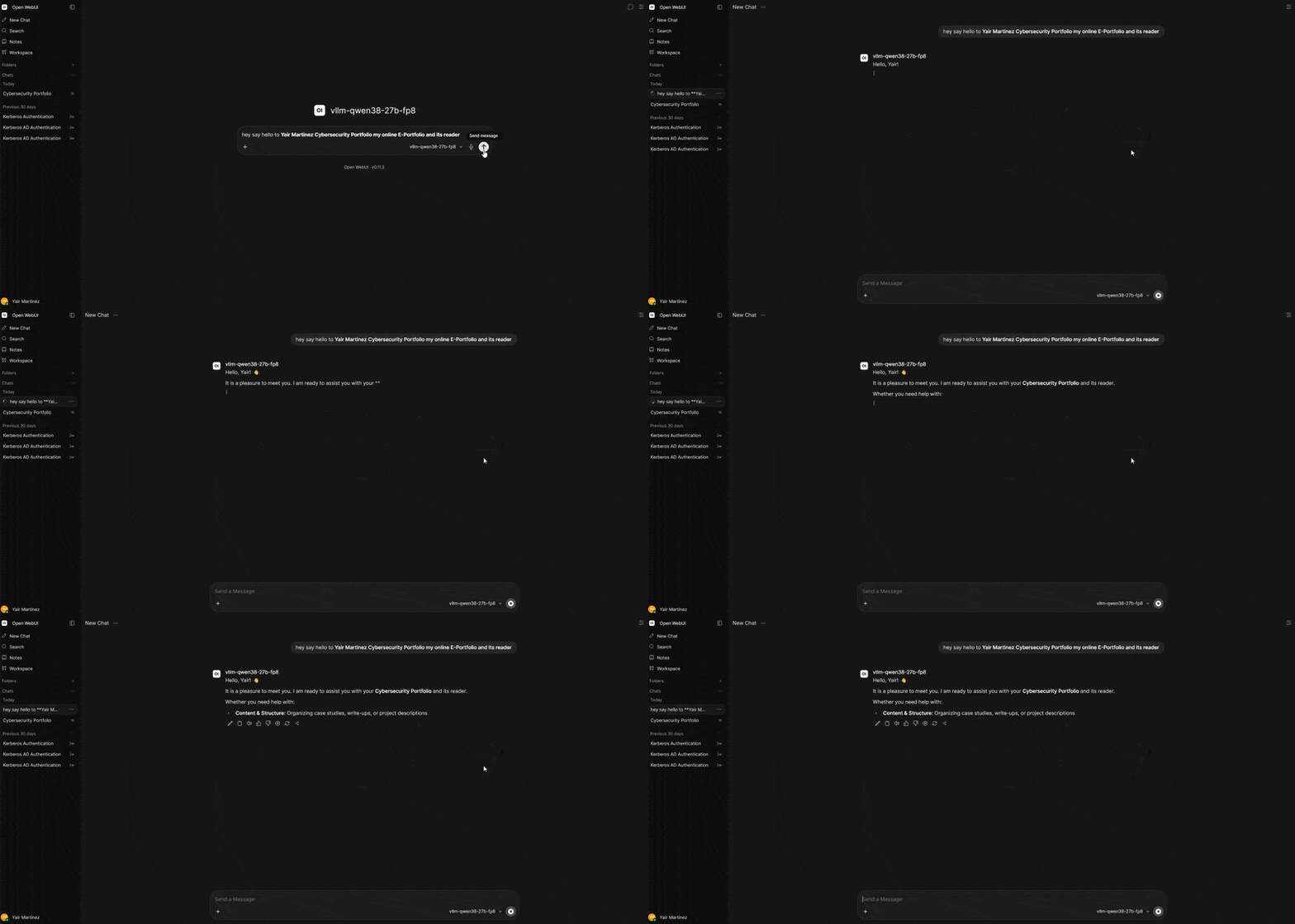
CT102 is the vLLM experiment container. It is not my main daily-driver backend.
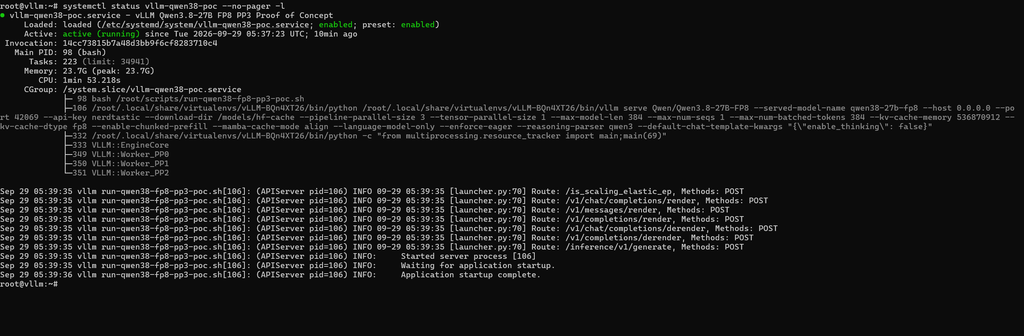
The goal of CT102 was to prove that the rig could serve Qwen3.8-27B-FP8 through vLLM using all three NVIDIA GPUs with pipeline parallelism.
Main role:
- vLLM proof-of-concept
- Qwen3.8-27B-FP8 testing
- OpenAI-compatible API endpoint
- Multi-GPU pipeline-parallel experiment
- Short-prompt demo backend
Final served model:
qwen38-27b-fp8Hugging Face model:
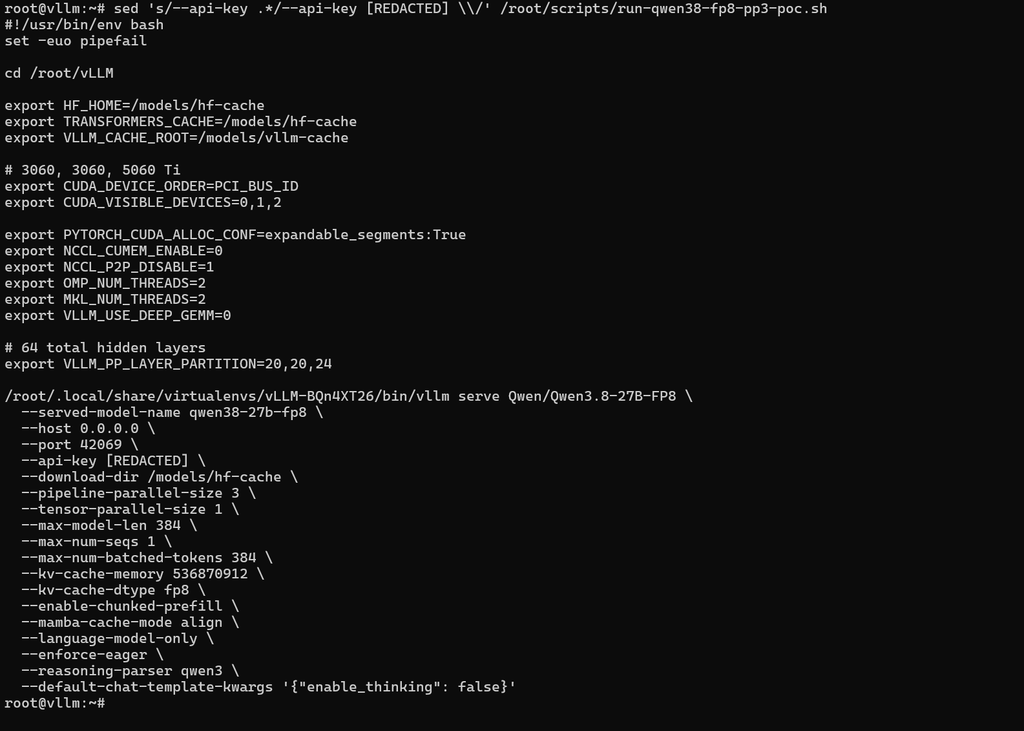
Qwen/Qwen3.8-27B-FP8Final Stable vLLM Profile
The final working vLLM profile used:
pipeline_parallel_size = 3
tensor_parallel_size   = 1
layer split            = 20 / 20 / 24
context                = 384 tokens
KV cache               = fixed 512 MiB
KV cache dtype         = fp8
mode                   = text-only
eager execution        = enabled
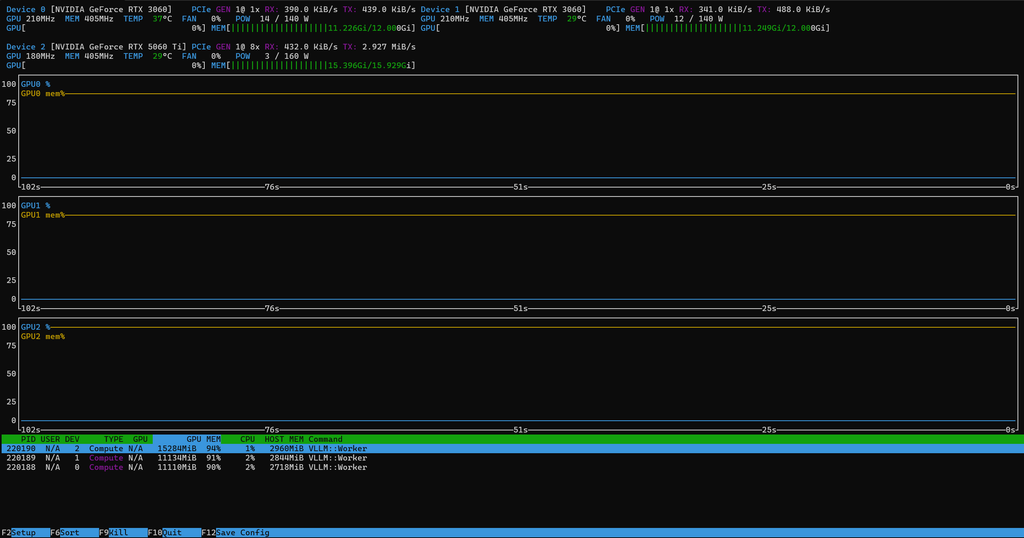
The important result is that CT102 works as a proof-of-concept. It proved that the rig could load and serve the FP8 model across all three GPUs.
vLLM Performance Notes
One successful vLLM run showed approximately:
vLLM Qwen3.8-27B-FP8
Prompt throughput:     ~39 tokens/sec
Generation throughput: ~7.8 tokens/sec
That result was useful, but it did not make vLLM the best daily workflow. The stable context was intentionally tiny, and the hardware layout created tradeoffs.
Notable vLLM Troubleshooting
This was the most troubleshooting-heavy part of the project.
Some approaches that did not work:
- Tensor Parallel 3: failed because model dimensions/vocab were not divisible by 3.
- Tensor Parallel 2: could not fit cleanly on the two 12 GB GPUs without CPU offload.
- CPU offload: technically helped memory pressure, but used too much RAM and hurt performance.
- Larger context sizes: caused CUDA OOM, Marlin FP8 runtime failures, or EngineDead errors.
- 21/21/22 layer split: shifted the failure point instead of solving it.
- Mixed consumer GPU daily-driver use: FP8 vLLM was not a good daily-driver fit for the 12 GB + 12 GB + 16 GB GPU layout.
The final stable profile was built by accepting the limitation and changing the goal: CT102 became a clean proof-of-concept instead of a daily-driver backend.
Consumer Hardware Tradeoffs
This project also showed the difference between consumer hardware that can run a workload and server hardware that is ideal for it.
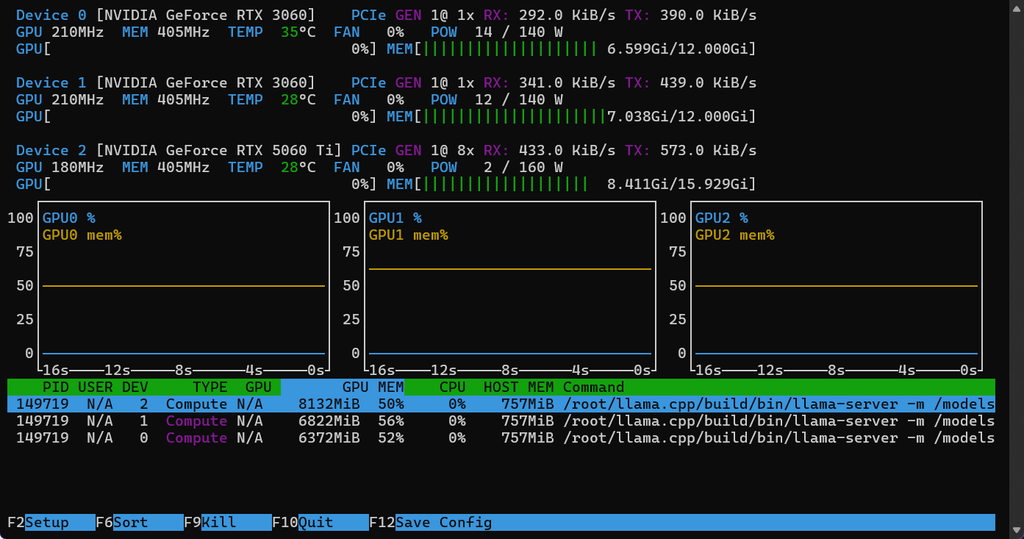
The system has three GPUs, but the PCIe layout is not perfect for multi-GPU serving. The two RTX 3060 cards were observed running at downgraded PCIe x1 links, while the RTX 5060 Ti was observed at a downgraded x8 link. That does not stop the system from working, but it matters for workloads that need GPUs to communicate or pass data through pipeline stages.
The practical impact was clearest with vLLM. Pipeline parallelism across all three GPUs worked, but the x1 links on the RTX 3060s made this a better proof-of-concept than a daily-driver setup.
This changed how I think about the backend roles:
- Ollama: best convenience and daily-use experience so far
- llama.cpp: stable OpenAI-compatible backend and strong agent candidate
- vLLM: valuable experiment and portfolio proof, but not the main workflow on this hardware
That lesson is important because it is easy to look only at total VRAM and miss the rest of the system design.
Benchmark Snapshot
These numbers are not formal lab benchmarks. They are practical observations from my own testing and logs.
| Backend | Model | Approx. Prompt Throughput | Approx. Generation Throughput | Practical Result |
|---|---|---|---|---|
| Ollama | Qwen3.8 27B | ~1,862 tokens/sec | ~18.5 tokens/sec | Best daily-use result so far |
| llama.cpp | Qwen3.8 27B GGUF | ~717 tokens/sec | ~15.6 tokens/sec | Stable OpenAI-compatible backend |
| vLLM | Qwen3.8-27B-FP8 | ~39 tokens/sec | ~7.8 tokens/sec | Working proof-of-concept, not daily driver |
The benchmark results helped me make a practical decision. vLLM was interesting technically, but Ollama and llama.cpp were better fits for normal use on this rig.
Backup and Recovery Plan
Backup planning became one of the most important parts of this project.
The Proxmox CT backups protect the container root filesystems. That includes the installed services, configuration, scripts, and system state inside the containers.
However, the large model folders are bind mounts. That means normal CT backups do not fully include the model directories.
My simple way of thinking about the backup design is:
CT backup           = container brain / config / root filesystem
Model folder backup = large model bodies and cache
Documentation       = rebuild knowledge
Warm Backup Layer
The SATA SSD acts as the warm backup/staging layer. It stores:
/mnt/ai-sata/containers/dump
/mnt/ai-sata/docs
The container backups are stored under:
/mnt/ai-sata/containers/dumpThis gives me a local recovery point if I break a container or need to roll back the AI services.
Cold Storage Layer
The cold storage plan is to copy the important backup set to an external hard drive.
Cold storage should include:
/mnt/ai-sata/containers/dump
/mnt/ai-sata/ollama
/mnt/ai-sata/gguf
/mnt/ai-sata/vllm
/mnt/ai-sata/docs
This matters because a CT backup alone is not enough. If the SATA SSD failed and I only had the CT root backups, I would lose the downloaded model stores and caches.
Documentation Pack
I created a final documentation pack so the project can be understood later instead of relying on memory.
The documentation pack includes:
README.txtai-rig-overview.txtproxmox-host-raid1-nvme.txtct100-openwebui-ai.txtct101-llamacpp.txtct102-vllm.txtai-rig-roadmap.txtai-rig-ideas.txt
This made the project much more structured. The files document the host, storage design, container roles, installed models, backup rules, troubleshooting notes, and future roadmap.
What I Want To Use This For
The immediate use case is local AI chat and technical assistance. The longer-term goal is to build a private multimodal AI workstation.
Current and future uses include:
- General local assistant work
- Coding help
- Research and summarization
- Homelab troubleshooting
- Documentation generation
- Cybersecurity and IT support workflows
- Splunk and log-analysis assistance
- Windows Event Log review
- Suricata alert explanation
- PowerShell and Linux command support
- Agent workflow testing with Hermes
- Image-generation and thumbnail workflows
- Speech-to-text and local voice assistant experiments
- Local content-production workflows
The important design rule is that I do not want to collect random models just because they exist. For each category, I want to test and keep the best-performing model or tool that my rig can realistically run.
Key Lessons Learned
The biggest lessons from this project were practical, not theoretical.
- Stable daily use matters more than theoretical performance.
vLLM was the most complex and interesting backend, but Ollama and llama.cpp are more useful for daily work right now. - Total VRAM is not the whole story.
GPU memory, PCIe link speed, backend architecture, model format, and quantization all affect the real result. - Consumer hardware can do serious work, but it has tradeoffs.
The x1 links on the RTX 3060s made some multi-GPU workloads less practical, especially vLLM pipeline parallelism. - Bind mounts are useful but affect backups.
Keeping models outside the CT root disks is cleaner, but those model folders need their own backup plan. - A service can be running before a model is ready.
The llama.cpp503 Loading modelresponse was a good example of why startup state and model readiness need to be checked separately. - Proof-of-concept and daily-driver are different goals.
CT102 is successful because it proved vLLM could run the model. That does not mean it should be the main workflow. - Documentation turns experiments into infrastructure.
Writing the documentation pack made the setup easier to explain, recover, and turn into a portfolio project.
Final Thoughts
This project helped me move from experimenting with local AI models to building an actual AI infrastructure foundation.
The most important result is not just that the models run. The important result is that the system now has a structure:
- Proxmox host documented
- Storage layout documented
- AI containers separated by role
- Backends tested and compared
- Models stored outside CT root disks
- Warm backups created
- Cold storage plan defined
- Troubleshooting notes preserved
- Future roadmap written
For my current hardware, the best practical path is to use OpenWebUI/Ollama and llama.cpp as the main daily-driver options, while keeping vLLM as a working proof-of-concept and learning environment.
This gives me a strong foundation for the next phase: building a local agent workflow and turning the rig into a more capable private multimodal AI workstation.